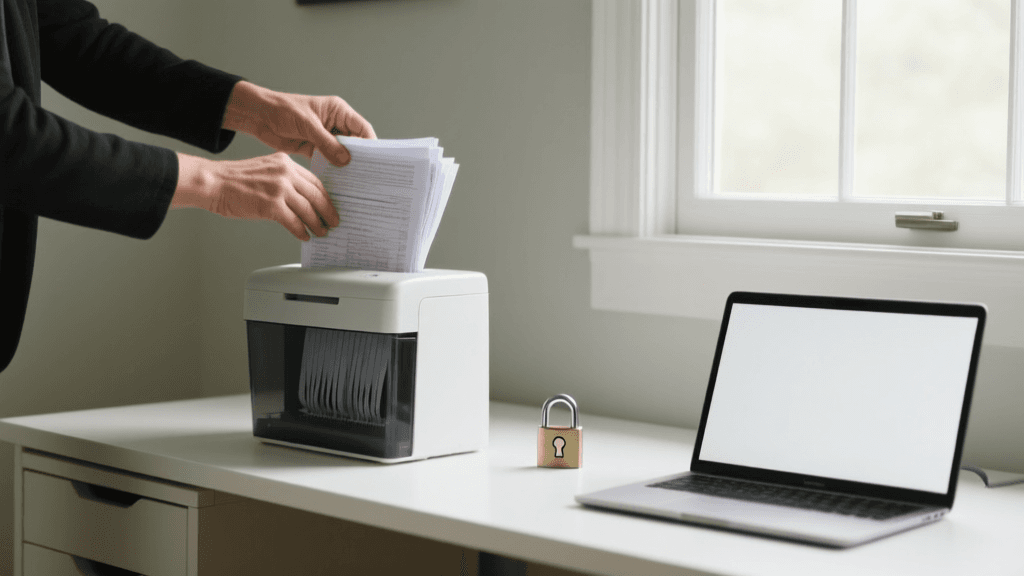
Why Identity Security Matters at Home
Identity theft can begin with a convincing message, a reused password, or personal information exposed through an unsecured device. For Woodstock households, protecting identity is part of everyday home safety, especially as families manage banking, school accounts, shopping, and smart-home devices online. A compromised email account can give a scammer a path to reset other passwords or impersonate a family member. The good news is that a few consistent habits can make these attacks harder. This guide explains how to secure accounts and devices, spot common warning signs, and understand where insurance support may help if recovery becomes necessary.
How Household Cyber Risks Develop
Cyber risks often grow from small oversights rather than dramatic hacking scenes. A reused password may be exposed in a breach at one service and then tried on email, banking, or shopping accounts. A fake delivery notice or account alert can trick someone into entering credentials on a lookalike site. Connected televisions, cameras, thermostats, and speakers also need updates and strong passwords because they are part of the household network. In Woodstock and nearby Cherokee County communities, busy households may share devices or save payment details for convenience. Reviewing these everyday habits helps identify weak points before they become an expensive identity recovery problem.
Build Stronger Accounts and Password Habits
Start with the email account used to reset other passwords: it is often the key to a person’s digital life. Create a unique password or passphrase for every important account, and use a reputable password manager rather than a notebook left beside a computer. Turn on multifactor authentication wherever available, preferably using an authenticator app or security key when the service supports it. Check recovery phone numbers and email addresses so they still belong to the account holder. For a household in Woodstock, this is especially useful when several family members share streaming, school, or utility logins. Avoid sending passwords through text, and never approve an unexpected sign-in prompt just to make it disappear.
Secure Your Wi-Fi, Router, and Smart Devices
A safer home network begins with changing the router’s default administrator password and using a strong Wi-Fi password that is not shared with other accounts. Use the router’s current security setting, such as WPA2 or WPA3 when available, and install firmware updates from the manufacturer. If the router offers a guest network, use it for visitors and consider placing smart devices on a separate network when the equipment supports that option. Review which devices are connected and remove ones no longer in use. These steps are practical whether a household is in Woodstock, Acworth, or Canton. If a router is several years old and no longer receives security updates, replacing it may be a sensible part of household maintenance.
Recognize Scams Before Sharing Information
Scammers commonly create urgency: a message may claim that a bank account is locked, a package cannot be delivered, or a family member needs money immediately. Treat unexpected requests for passwords, verification codes, gift cards, or payment as warning signs. Do not use the phone number or link included in a suspicious message; instead, contact the organization through a trusted statement, saved contact, or official app. Be cautious with caller ID, since it can be falsified, and independently verify unusual requests from relatives. If someone in Woodstock receives a message that appears to come from a local business or school, checking through a separate, known channel is safer than responding directly.
Local Habits That Help Protect Woodstock Households
Local routines can shape how a household manages digital security. Families commuting between Woodstock, Holly Springs, and Kennesaw may rely on mobile banking and public charging or Wi-Fi while traveling; avoid signing into sensitive accounts on unfamiliar networks, and use a trusted cellular connection when possible. Households with children can agree on rules for sharing photos, location information, and verification codes. Older relatives may benefit from a simple plan for confirming urgent money requests before acting. Keep paper records containing account details in a locked place, and securely shred documents with sensitive information when they are no longer needed. These basic practices apply across Cherokee and neighboring metro Atlanta communities.
A Practical Identity Protection Checklist
Steps to Take This Week
- Use unique passwords for email, banking, shopping, and other accounts that contain personal or payment information.
- Enable multifactor authentication and review account recovery details for accuracy.
- Update the router, computers, phones, and smart devices, and remove software or apps that are no longer needed.
- Turn on transaction and sign-in alerts where available, and review bank and credit card statements regularly.
- Discuss a family verification phrase or callback routine for unexpected requests for money or personal information.

Where Home Insurance May Fit Into Identity Recovery
Some homeowners policies or optional endorsements may offer limited identity theft expense or identity recovery assistance, but coverage varies by insurer, policy form, and state. Such support may reimburse eligible expenses or help with specific recovery tasks; it generally should not be assumed to replace money stolen from an account or cover every cyber loss. Review the policy wording for covered events, dollar limits, deductibles, exclusions, documentation requirements, and whether assistance services are included. Ask how the provision applies to household members and what steps must be taken after suspected fraud. For Woodstock homeowners comparing coverage, requesting the complete endorsement and discussing its terms with a licensed insurance professional is more useful than relying on a brief marketing summary.
What to Do If You Suspect Identity Theft
Act promptly, but use trusted contact methods. Change the password on the affected account and any accounts that reused it, secure the email account first, and enable multifactor authentication. Contact the financial institution through its official app or a number on a statement to report unauthorized activity and ask about freezing or replacing cards. Save messages, dates, transaction records, and case numbers. Consider placing a security freeze or fraud alert with the major credit reporting agencies, and use the Federal Trade Commission’s IdentityTheft.gov resource to create a recovery plan. If personal information or a device is involved, follow the relevant provider’s reporting steps and review any insurance policy for notice deadlines and documentation requirements.
Choose Your Next Step
A useful starting point is a 20-minute household security check: update the router and devices, strengthen the primary email account, turn on alerts, and agree on a method for verifying urgent requests. Then review your homeowners policy for any identity recovery or cyber-related provision instead of assuming those benefits are included. Compare limits, exclusions, services, and costs if an optional endorsement is available. Keep a secure record of where to report suspected fraud and what documents may be needed. These measures can help Woodstock residents and households in nearby communities reduce avoidable exposure and respond more confidently if a suspicious account alert or unfamiliar transaction appears.
Review Your Home Policy and Digital Safety Plan
Compare policy details and strengthen your household’s account and device protections before a problem occurs.
Get a Free Quote